For tutors and online teachers

The whole tutoring session, on one board.

The call, your explanation and every student's exercises in one place. Work with a whole group and see each student on their own board, at their own level.

Built-in audio and video calls · A board for every student · Free plan, no card required

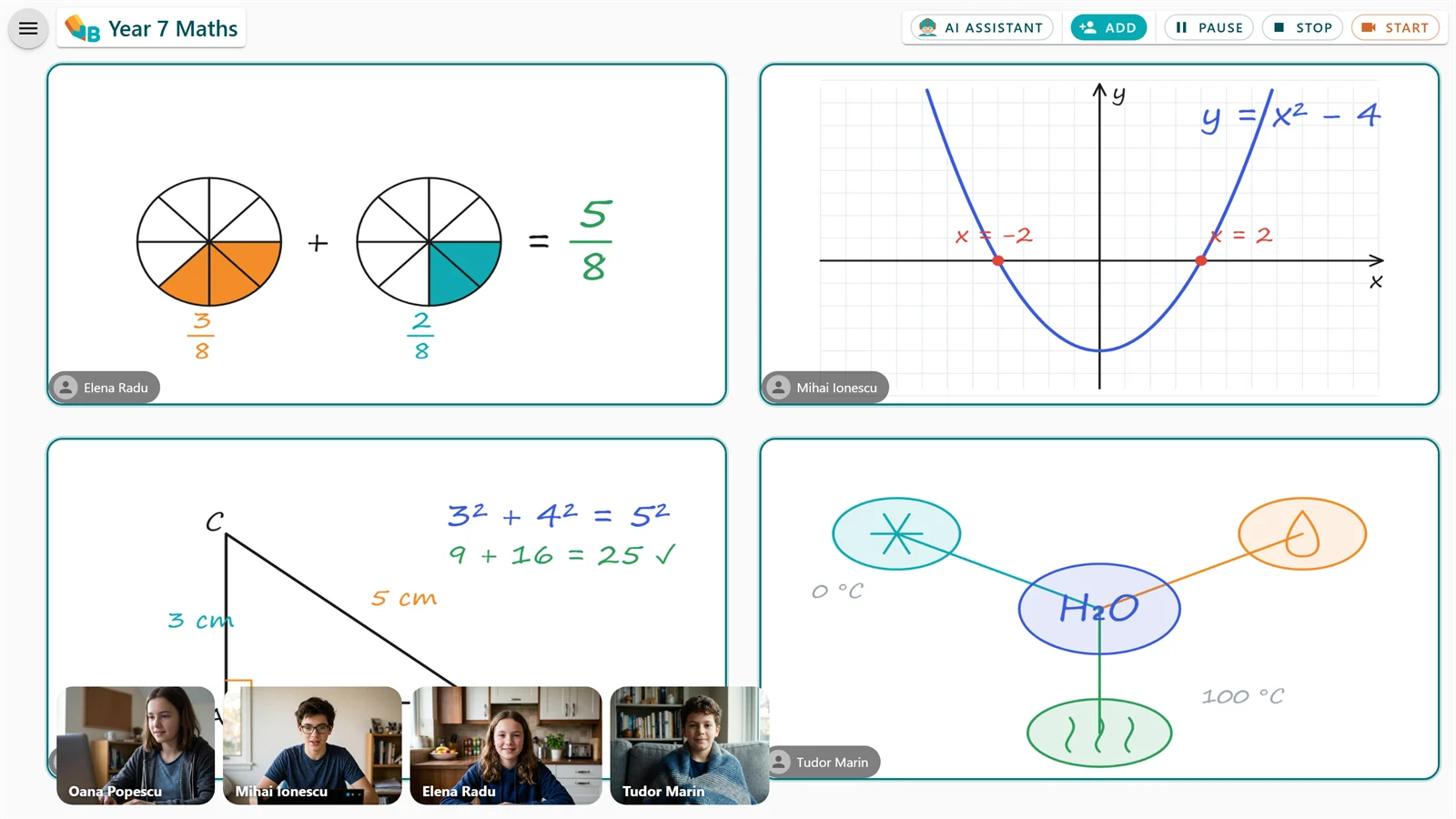
Three students' individual boards, seen by the tutor at the same time
Why tutors choose VBoard

A group of students, each at their own level, in one session.

We built VBoard for sessions where students are not all the same: each gets the right exercise, you see all of them, and you step in exactly where it is needed.

For the tutor
Today

The call is in one app, the exercises in another, and the shared board shows the same screen to everyone, whatever their level.

With VBoard
  • The call, the board and your materials, in one place
  • Every student on their own board, with exercises to match
  • See every board at once and jump onto any of them
  • The right tools: ruled paper, geometry, formulas, your own materials
For the student and parent
Today

The student watches a shared screen, waits for their turn, and nothing from the session survives the end of the call.

With VBoard
  • Works at their own pace, on their own board, no waiting
  • Gets feedback during the exercise, not after
  • Downloads the lesson as a PDF and keeps it for revision
What you get as a tutor

Everything an online session needs, with no other apps.

Three things that change how you run a session with several students.

01Individual boards
A tutor working with students at different levels on separate boards
Students at different levels

Every student on their own board, with the exercise that fits.

Start individual boards and each student works separately. Load the exercise that matches them from your library, bring in material from any source, and watch every board on a single screen.

  • One board per student, in the same session
  • Exercises by level, from your own library
  • Material from any source: PDF, images, tests
Find out more
02Saved
Every session, saved

Nothing from the session is lost when it ends.

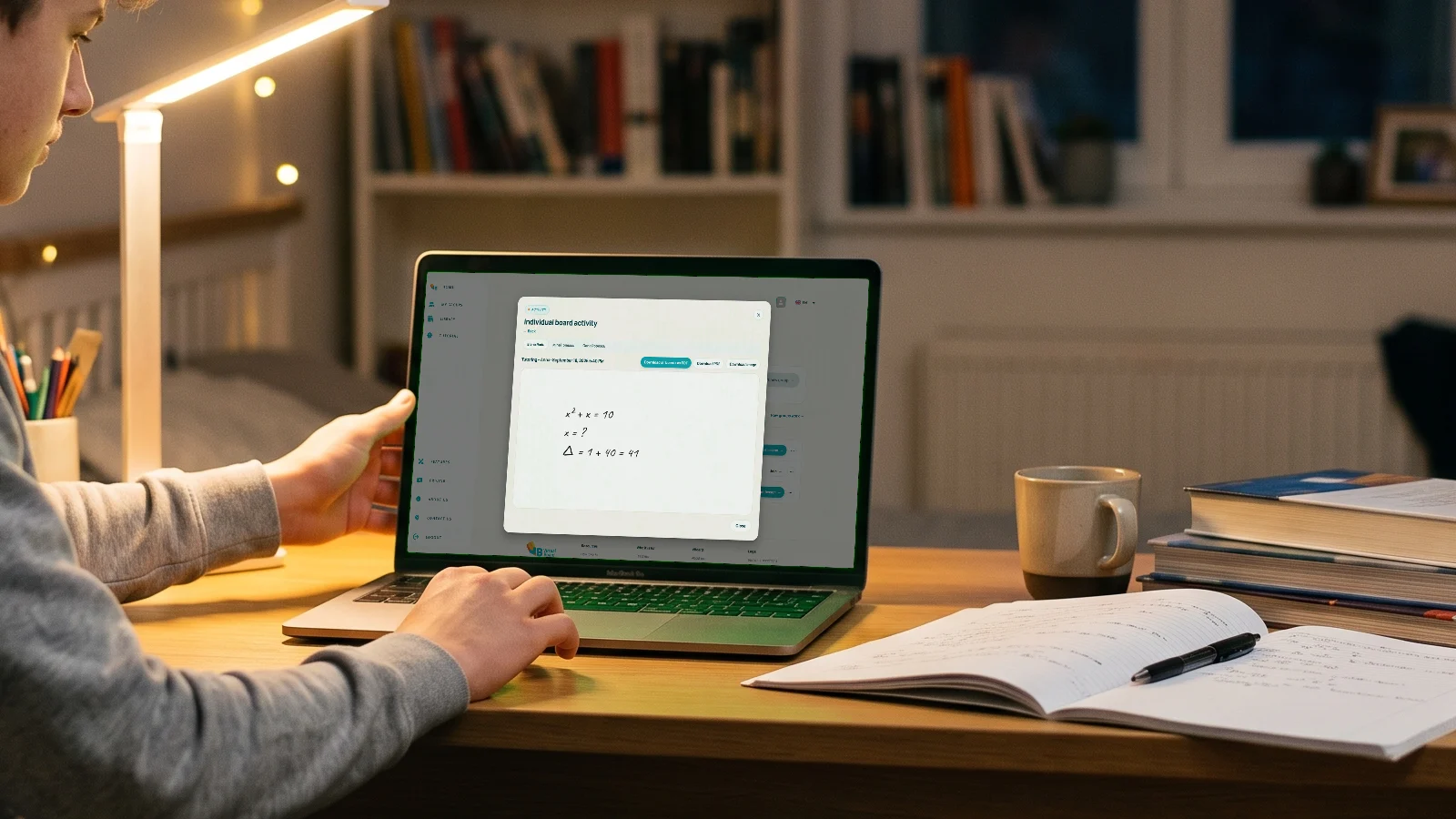
Every student's work stays saved. At the end, students download what they did as a PDF themselves, and you keep a history of every session for next time.

  • Each student's work, saved separately
  • Students download their own lesson as a PDF
  • A session history, ready for revision
Find out more
A student downloading the session's work as a PDF
03Call
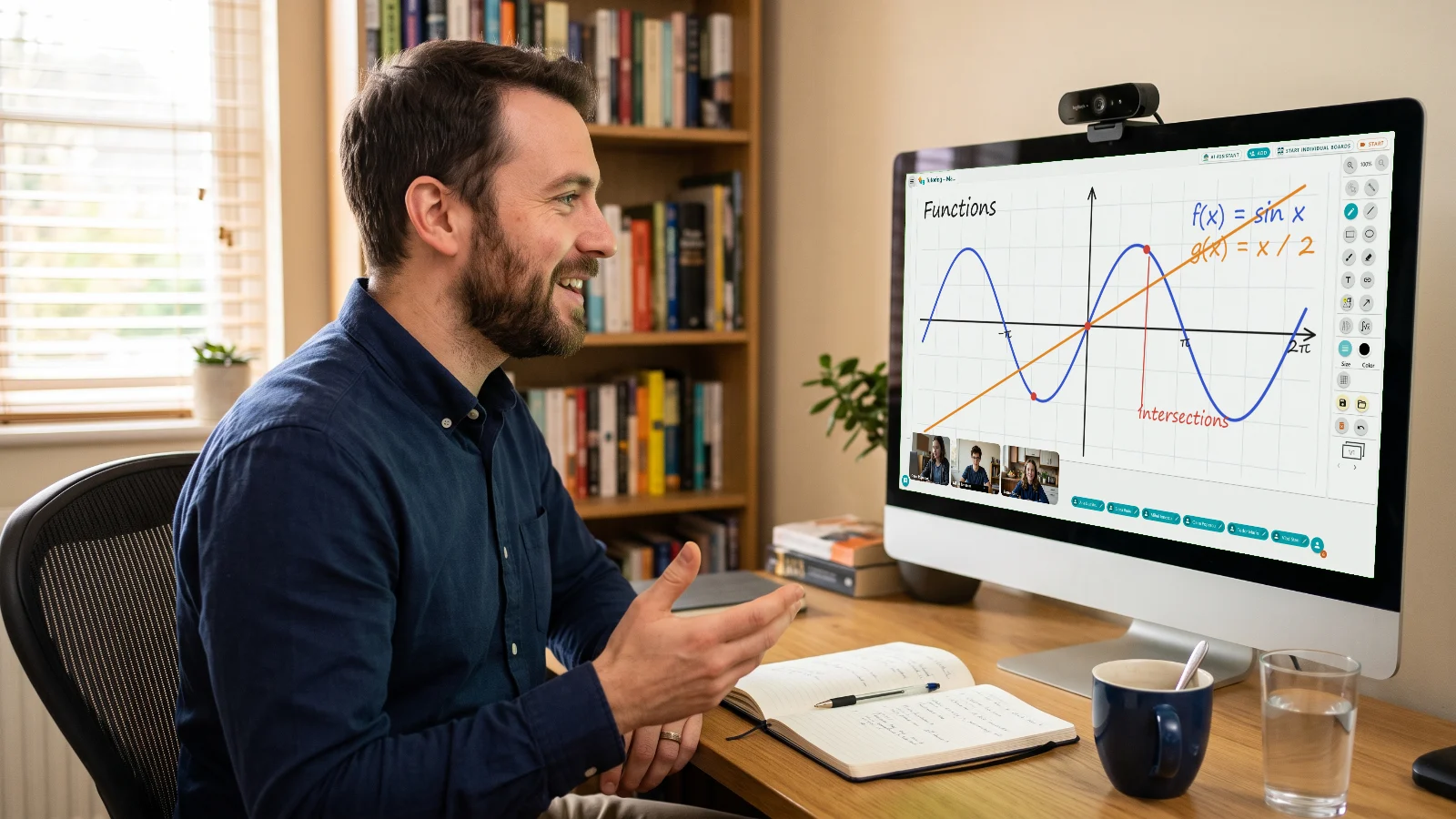
A tutor on a video call with students, with the board open
Audio and video calls

See and hear your students, right on the board.

The audio and video call starts inside VBoard, next to the board. No more juggling a call app and a writing app: explain, ask and correct on the same screen.

  • Audio and video calls, one click away
  • No separate conferencing app
  • Students join from the browser, on any device
Find out more
How to run an online session

Five steps, from the group to the lesson in their hands.

Nothing to install. Your first session can start today.

  1. Create your tutoring group

    Add your students once and the group is ready for every session.

    See the tutorial
  2. Start the audio and video call

    Stay in touch with your students right inside VBoard, with no other app.

    See the tutorial
  3. Start the individual boards

    Every student gets their own board, and you see all of them at once.

    See the tutorial
  4. Load exercises by level

    From your library, each student gets the exercise that fits their level.

    See the tutorial
  5. Students leave with the lesson

    At the end, every student downloads their own work as a PDF.

    See the tutorial
VBoard plans

You start on the Free plan.

The Free plan stays free, no card needed. You only pick a paid plan if VBoard becomes part of your teaching routine.

Free

Teach with VBoard at no cost and with no card, for as long as you need.

0€
Free, with no time limit

You can move to a paid plan at any time.

  • Individual Boards
  • Available groups: 3
  • Available boards in library: 5
  • Available activities with saved individual boards : 3
  • Multiple boards in individual board activity
  • PDF download
  • AI tools
  • Audio Video call
Start a lesson
For regular use

Basic

For teachers who save, reuse and share their lessons.

47.88€/ year
a single payment per year · + VAT

That is €3.99 per month.

You save 2 months a year
  • Individual Boards
  • Available groups: 10
  • Available boards in library: 50
  • Available activities with saved individual boards : 10
  • Multiple boards in individual board activity
  • PDF download
  • AI tools
  • Audio Video call
Choose this plan

Premium

For online tutoring, with every VBoard tool in one place.

107.88€/ year
a single payment per year · + VAT

That is €8.99 per month.

You save 2 months a year
  • Individual Boards
  • Available groups: Unlimited
  • Available boards in library: Unlimited
  • Available activities with saved individual boards : 50
  • Multiple boards in individual board activity
  • PDF download
  • AI tools
  • Audio Video call
Choose this plan

Schools and centres

For schools, tutoring centres and teams of teachers.

Customquote
Based on the number of licences

Start with a small pilot and expand once you see real use.

Pilot available
  • Multiple licences for teachers or tutors
  • Onboarding and support for the team
  • Institutional contract and invoicing
Request a quote

The Free plan does not expire. Move to a paid plan only when you need more.
Frequently asked questions

What tutors ask before their first session

Students, calls, individual boards, plans and what remains after the session.

Do students need an account or an installed app?
No. Students join the session from the browser on their phone, tablet or laptop, using the link you send them.
Can I see what every student is working on at the same time?
Yes. With individual boards each student works on their own board, and you see all of them on one screen, jump onto any and correct on the spot.
Do I need Zoom or another app for the call?
No. Audio and video calls are built into VBoard and start right next to the board. They are included in the Premium plan.
Can I prepare the exercises before the session?
Yes. Save them to your library, organised by level, and load them onto each student's board during the session.
What remains after the session?
Every student's work stays saved. Students download their lesson as a PDF, and you keep the history for the next session.

Your next session starts with the board ready.

Create the group, load the exercises and see how simple it is to work with every student at once.

Start for free
  • Runs in your browser
  • Free plan, no card required