VBoard features

Everything you need to teach with ease, on one board.

Twelve tools built for the real lesson: from individual boards and video calls to a library, ruled paper, geometry and an AI assistant. All in the browser, nothing to install.

12 features · Runs in your browser · Free plan, no card required

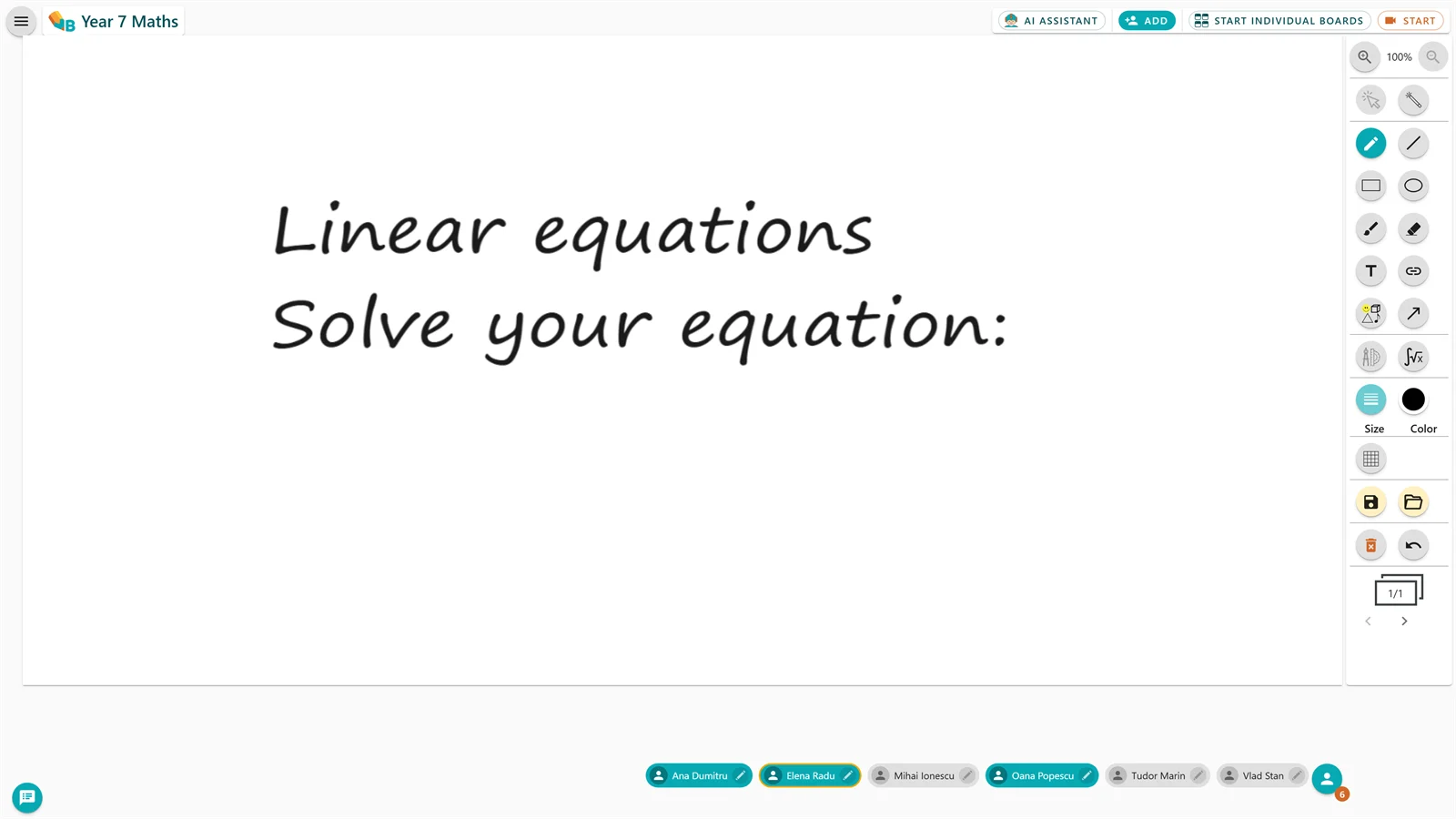
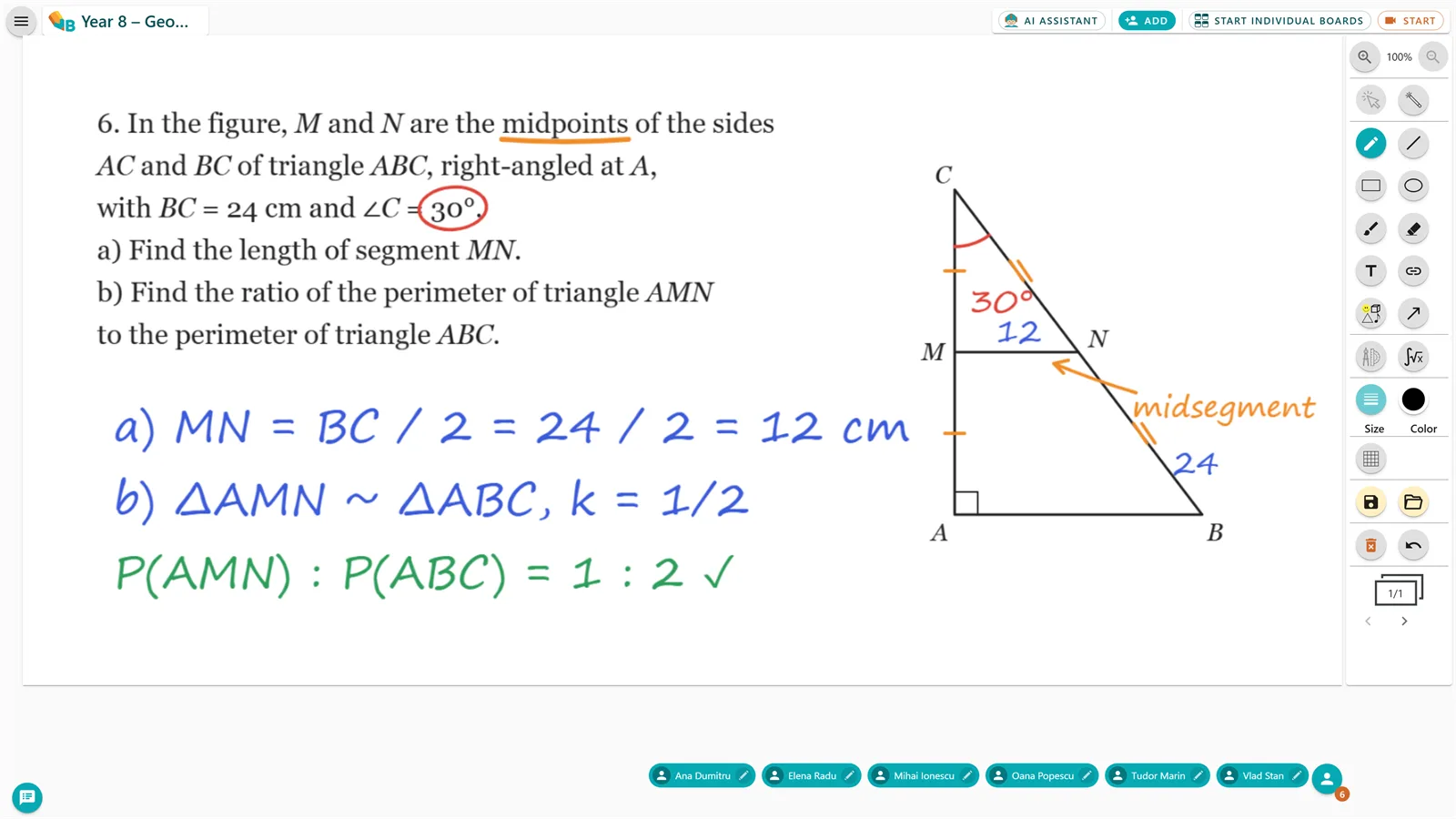
A maths exercise open on the VBoard board, with explanations written over it
Features

The tools, one by one.

Every feature, what it does for you, and the tutorial that walks you through it.

01Students
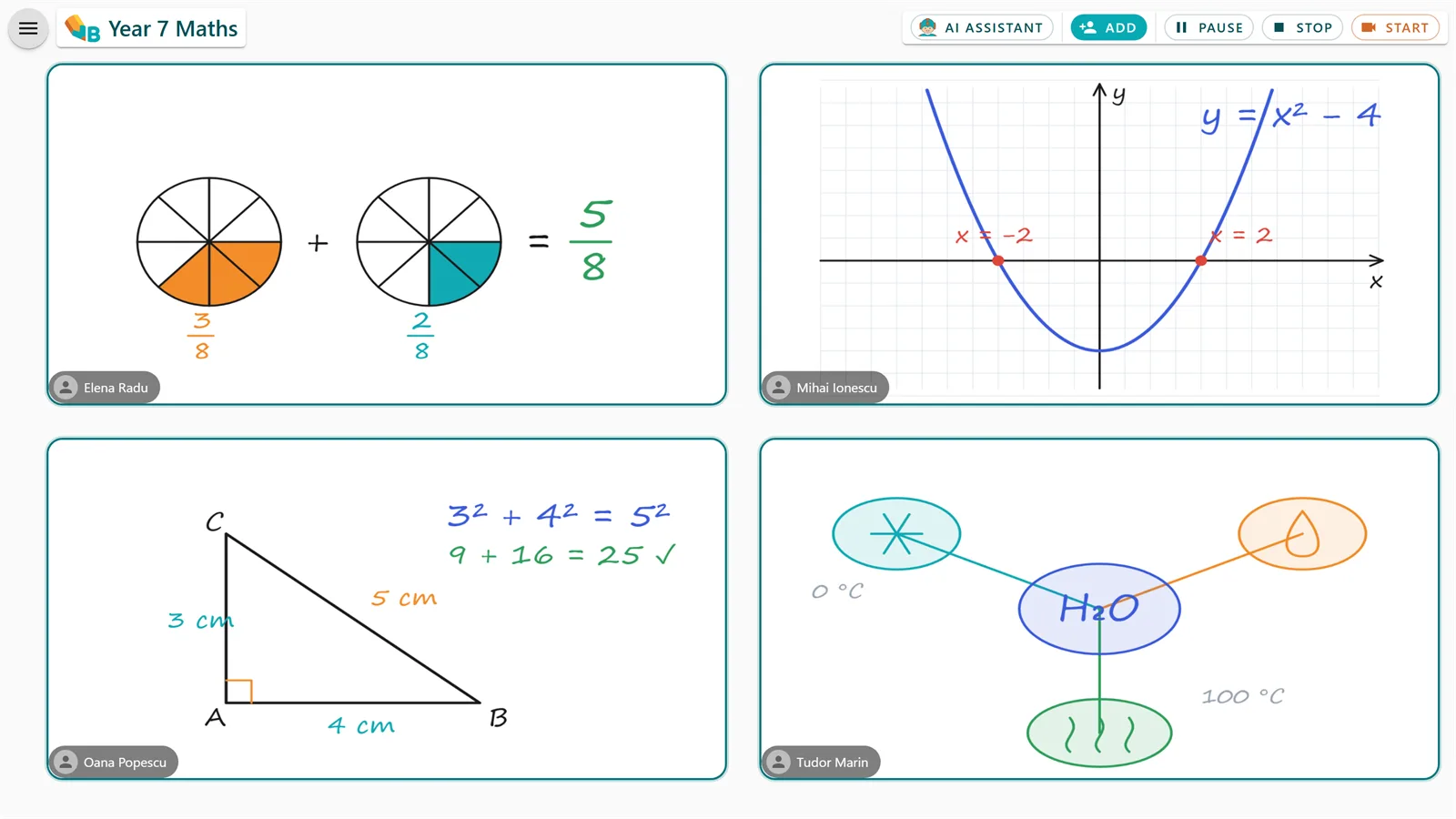
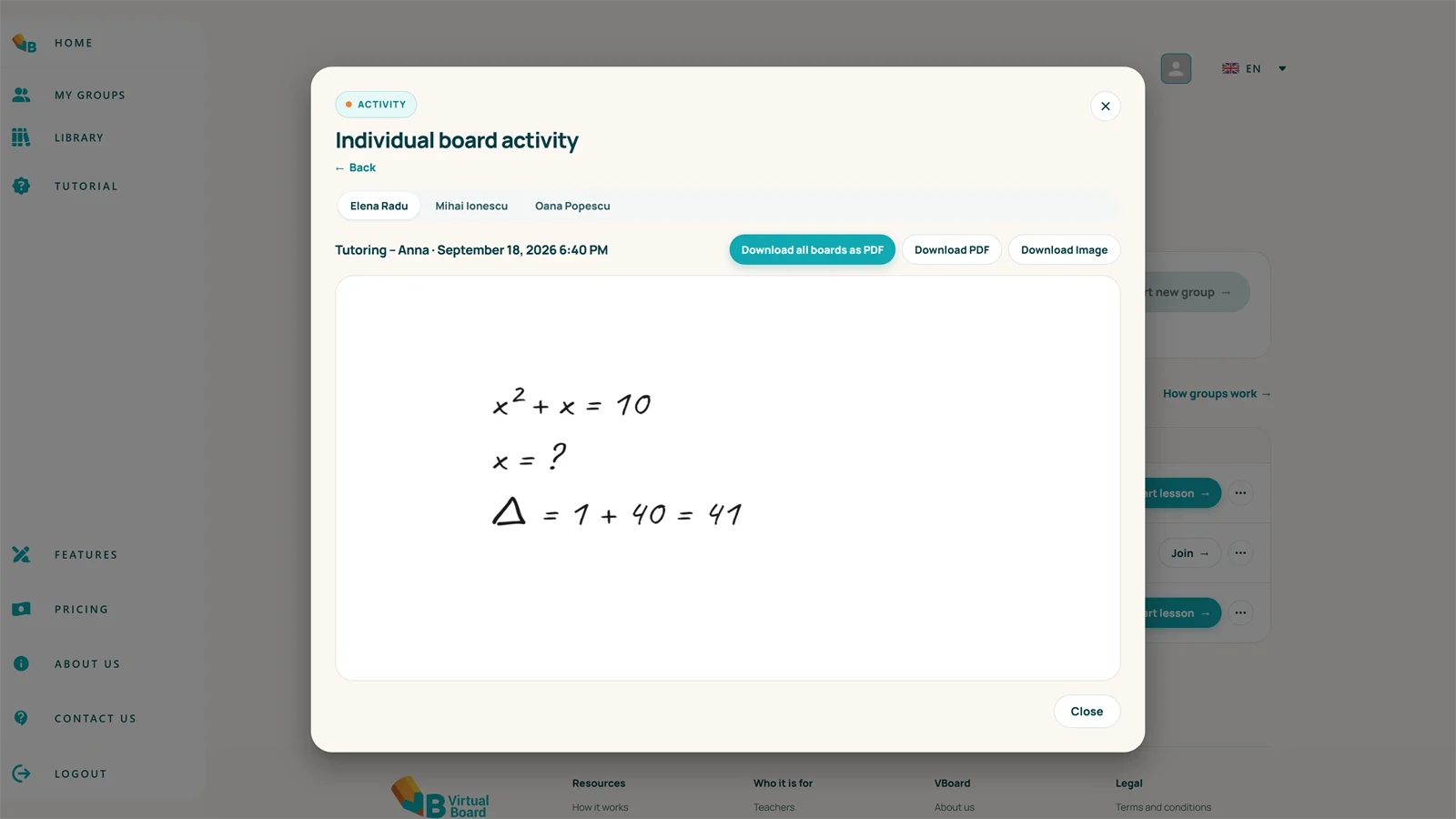
A teacher watching students' individual boards
Individual boards

See every student in real time, as if you were looking into each one's notebook.

Start an individual-boards activity as soon as you have a single participant. Every student works on their own board, you see all of them, and you step onto any one of them.

  • Start the activity whenever you have at least one participant
  • Step onto any student's board at any point in the session
  • Every student can have several boards in the same session
  • At the end, see all the work and download it however you like
See the tutorial
02Students
Lesson control

You lead the lesson. You decide who writes.

Control access to the board throughout the lesson: hand a student the pen with one click, and whatever you put on the board stays there.

  • Give students the pen one at a time, with a click
  • Students cannot erase the teacher's images and text
  • During individual work, only the teacher sees every board
See the tutorial
A teacher controlling who writes on the board
03Students
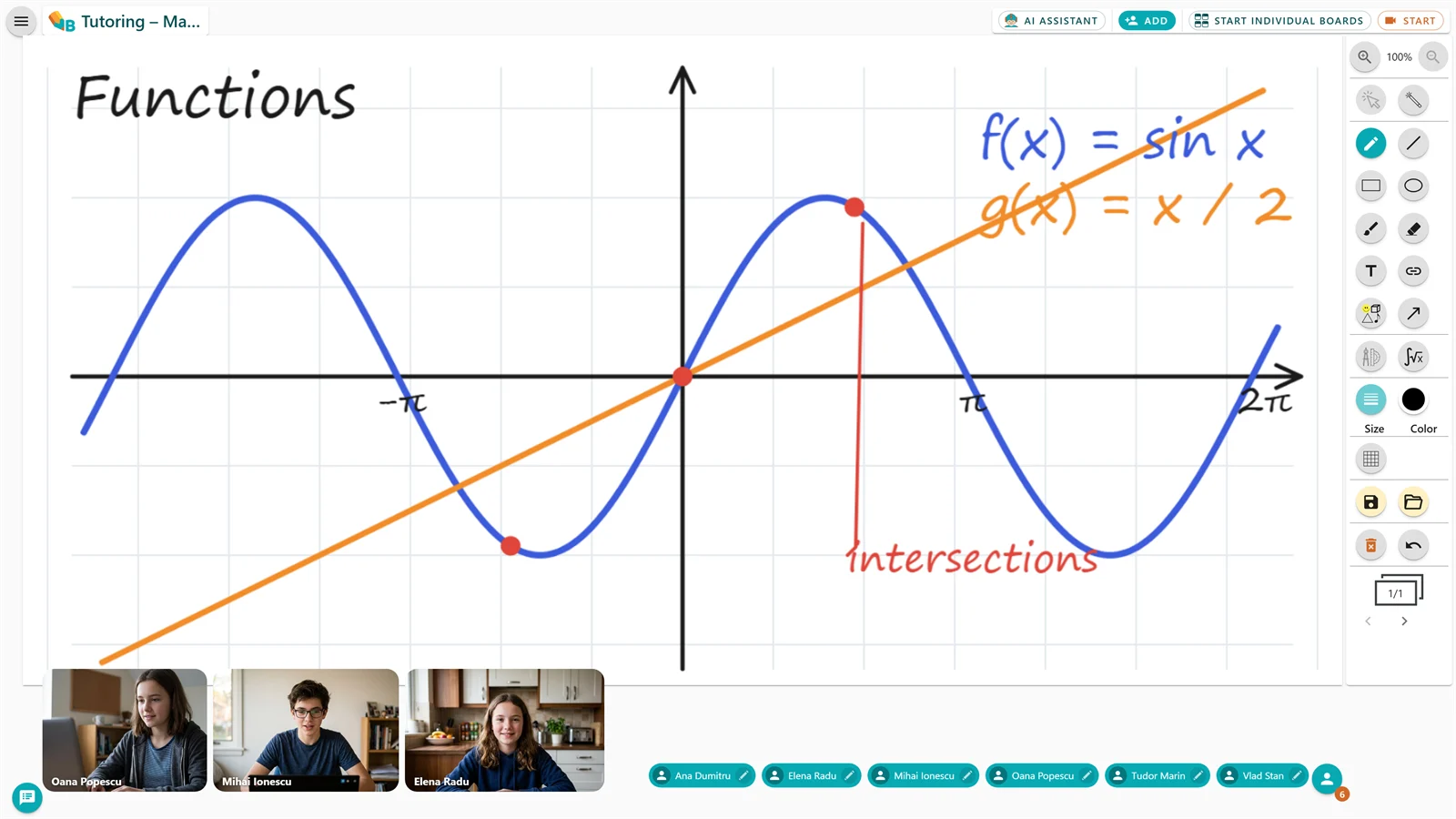
A video call started from the VBoard board
Audio and video calls

See and hear your students, with no other app.

The call starts from the board's own call button. You choose what is seen and heard, so you can stay focused on the lesson.

  • Start the video call straight from the board
  • Mute participants' microphones when you need to
  • Hide or show the video tiles to keep the board in view
See the tutorial
04Organisation
Groups

Your classes and groups, set up once.

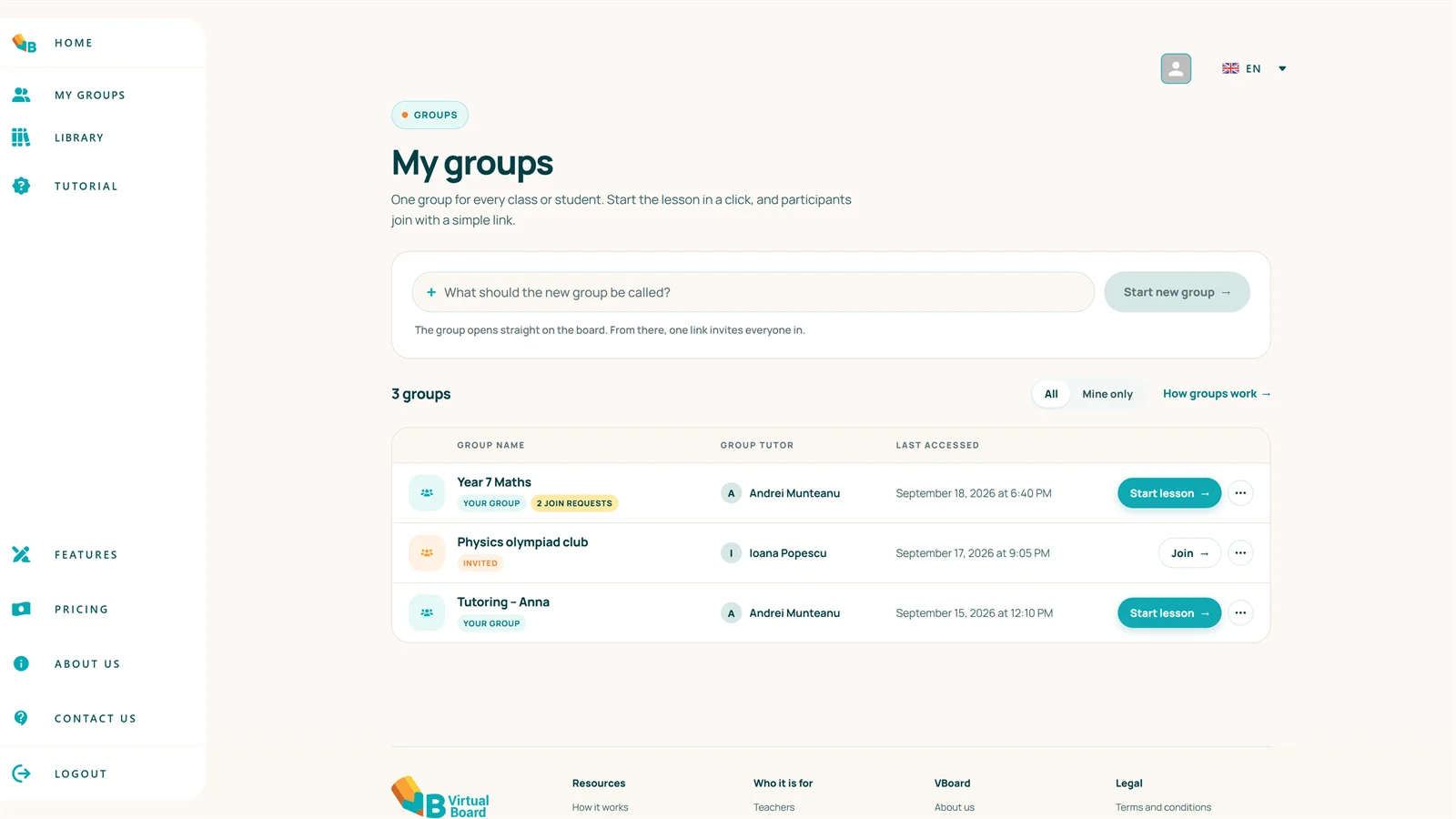
Organise your work into study groups: invite students with a link, decide who gets in, and keep every group's saved activities.

  • Invite anyone with a share link
  • Let in only the people you know
  • Manage the group's members and its saved activities
See the tutorial
Student groups organised in VBoard
05Organisation
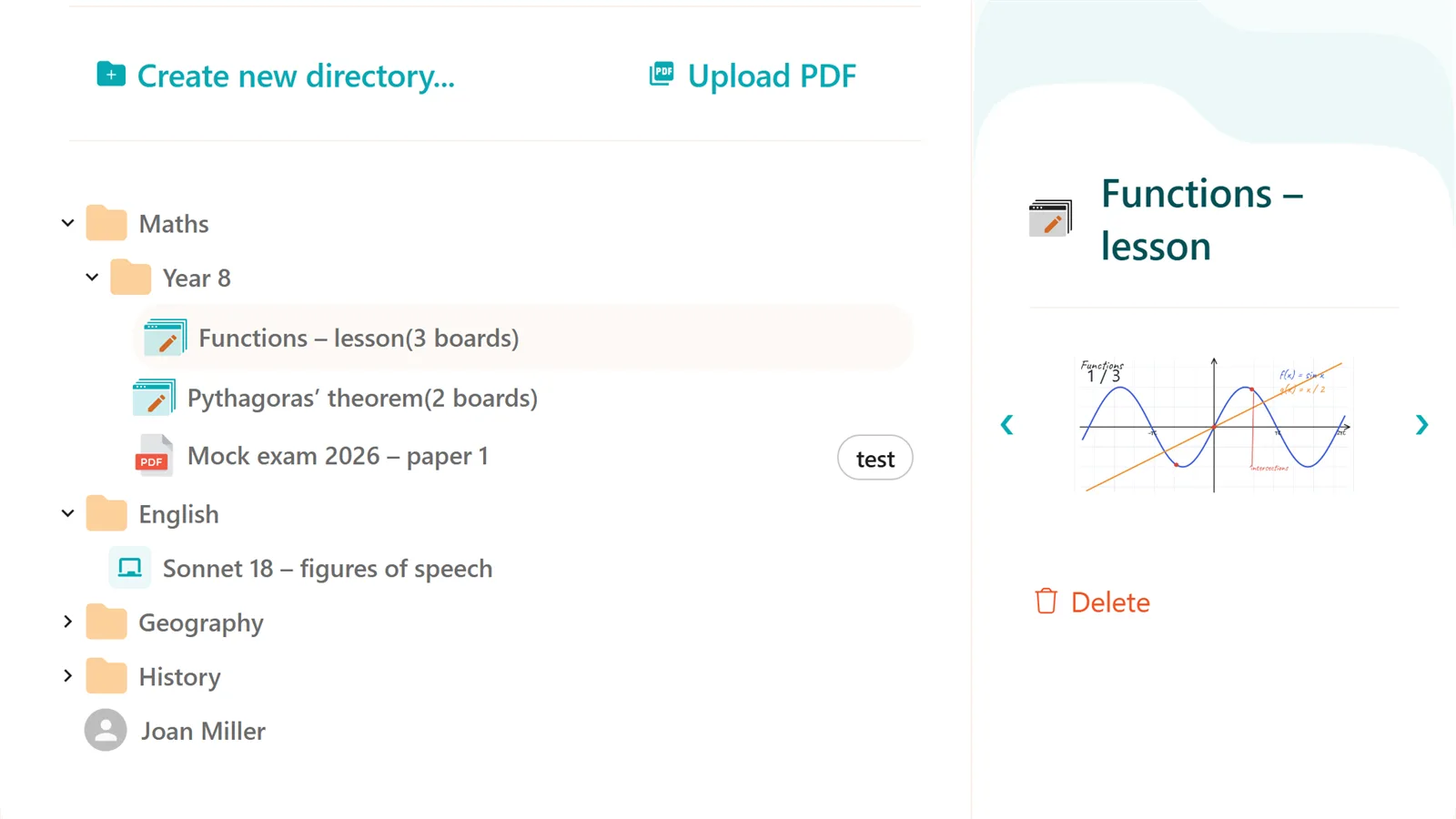
The board library, organised in folders
Library

Save once. Reuse in any lesson.

Your boards stay in your personal library, tagged and organised in folders, ready to load into any session.

  • Add any board to the library
  • Save a whole set of boards at once
  • Load saved boards into any session
  • Tag boards so they are easy to find
  • Organise everything in folders
  • Move boards and folders with drag and drop
See the tutorial
06Organisation
PDF download

The lesson leaves as a PDF: to absentees, to every student, to your archive.

Download both the main board and the work from the individual boards as PDFs.

  • Send the lesson PDF to whoever was absent
  • Every student gets the PDF of their own board
  • Keep the PDFs as a record of the activity
See the tutorial
Downloading a lesson as a PDF
07Material
Content pasted onto the board from other sources
Material from any source

Bring anything onto the board: PDF, Word, images, web pages.

Select content anywhere with the Snipping Tool (Win + Shift + S), paste it into VBoard with Ctrl + V, and resize it wherever you like.

  • Select content from PDFs, Word documents and web pages
  • Paste straight onto the board with Ctrl + V
  • Resize and move what you added
  • Bring in just the part of an image you need
See the tutorial
08Instruments
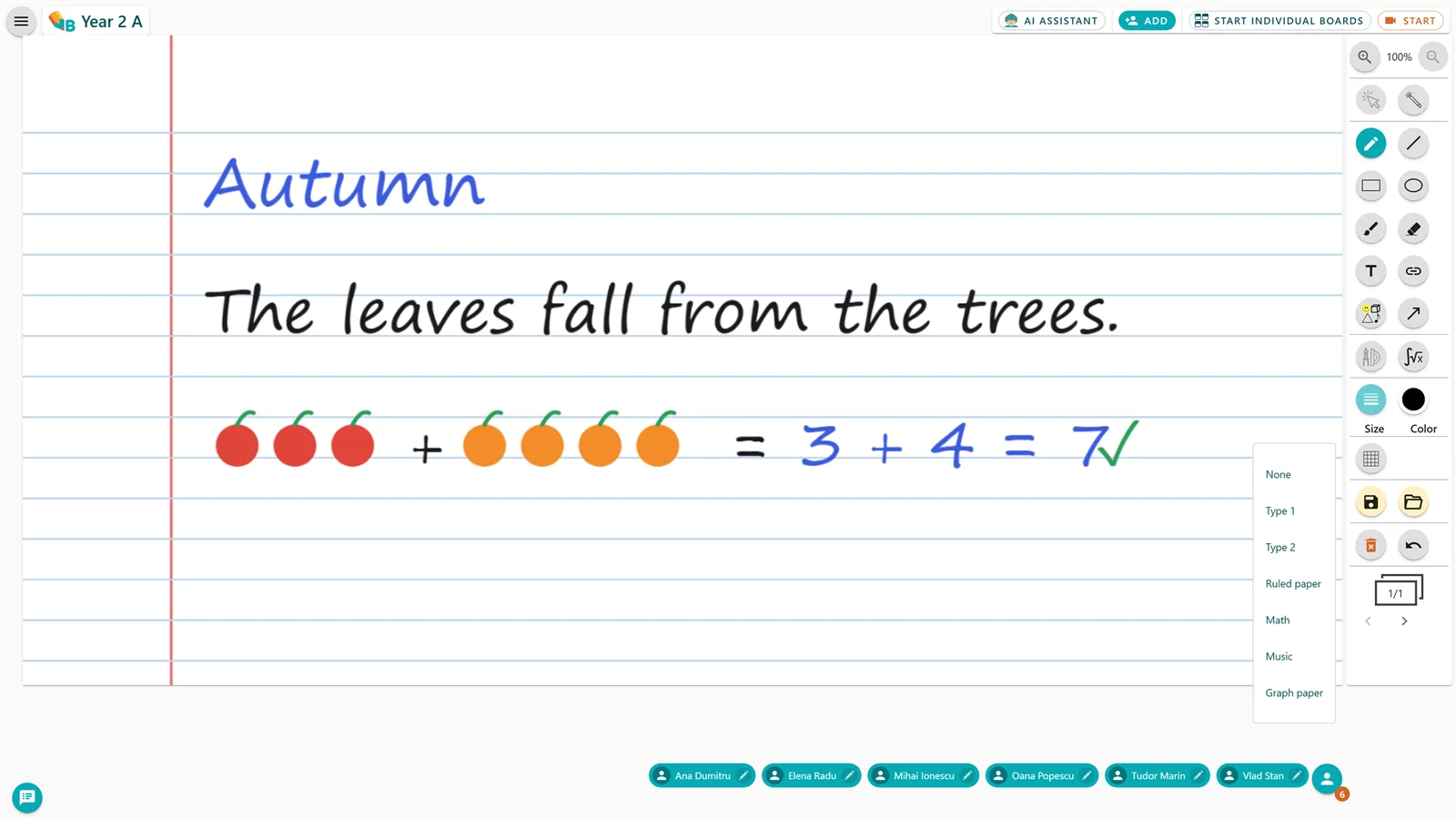
Special rulings

The right ruled paper for every subject, one click away.

Give the board the ruling you need, from a first-grade notebook to a music stave.

  • Type 1
  • Type 2
  • Dictation
  • Maths
  • Music
See the tutorial
Special rulings applied to the board
09Instruments
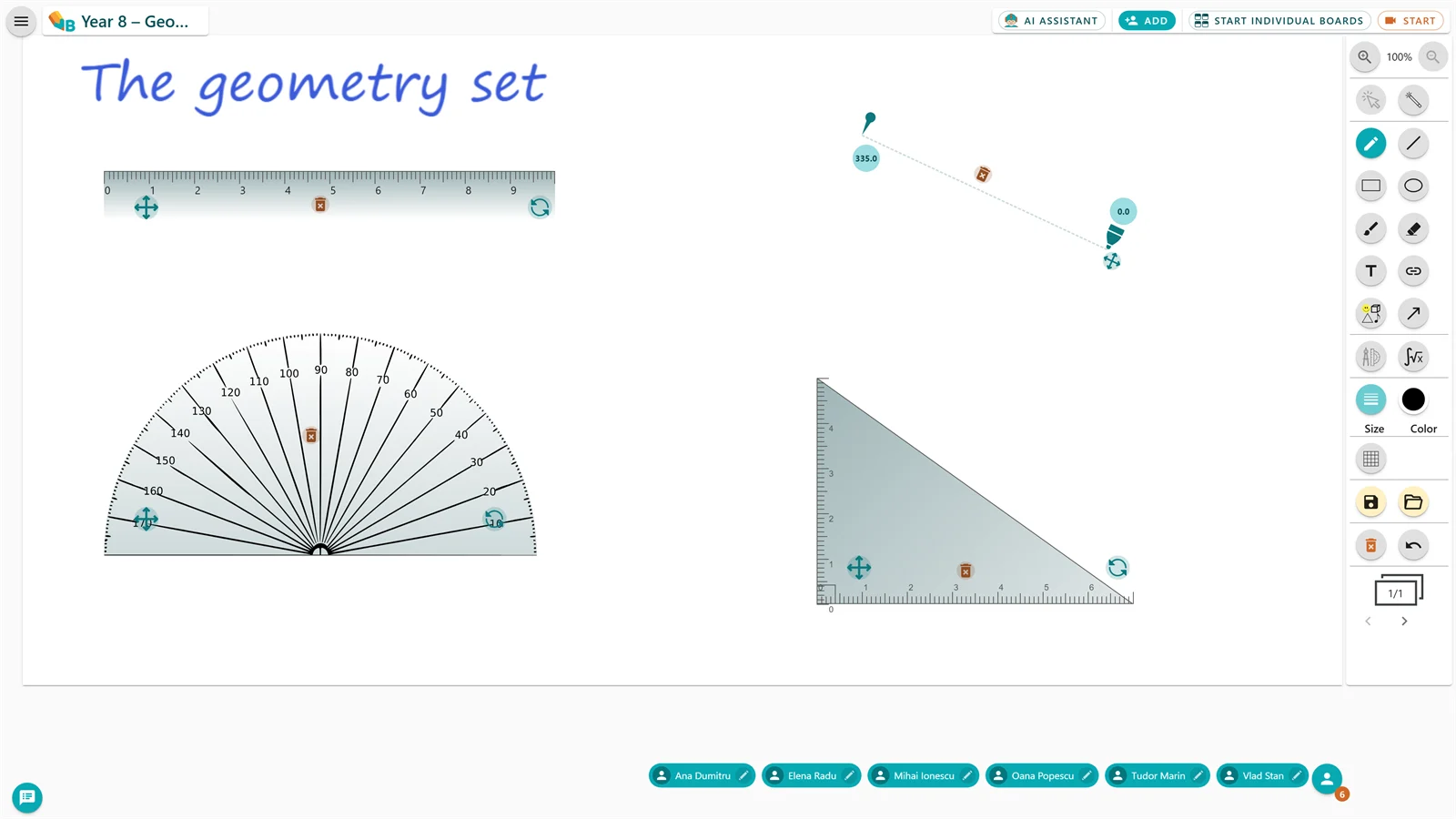
Ruler, protractor, compass and set square open on the VBoard board
Geometry tools

Ruler, protractor, compass and set square, like at the board, but exact.

The whole geometry set is on the board: draw lines at the length you want, measure angles, draw circles and arcs, drop perpendiculars. All exact, no chalk dust.

  • Ruler: straight lines at the length you want
  • Protractor: angles measured and drawn exactly
  • Compass: circles and arcs at the radius you choose
  • Set square: perpendiculars and right angles
See the tutorial
10Instruments
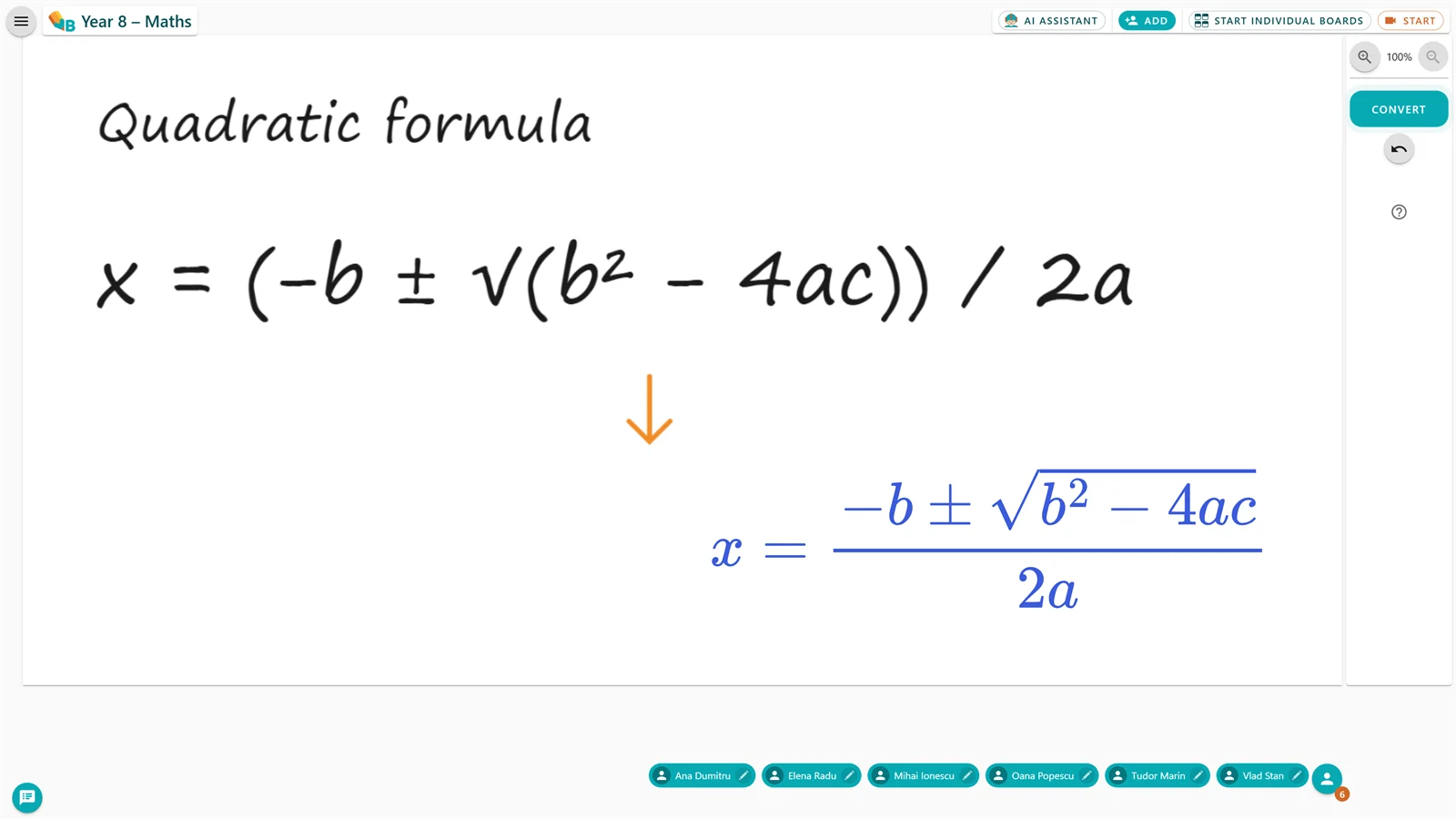
Formula converter

Write the formula by hand. Get it back in print.

Write the formula with the pen, press convert and choose where the clean text goes. Edit or delete it whenever you like.

  • Write the formula with the pen and convert it
  • Choose where the converted text sits on the board
  • Edit or delete the text even after converting
See the tutorial
A handwritten formula converted into printed text
11Instruments
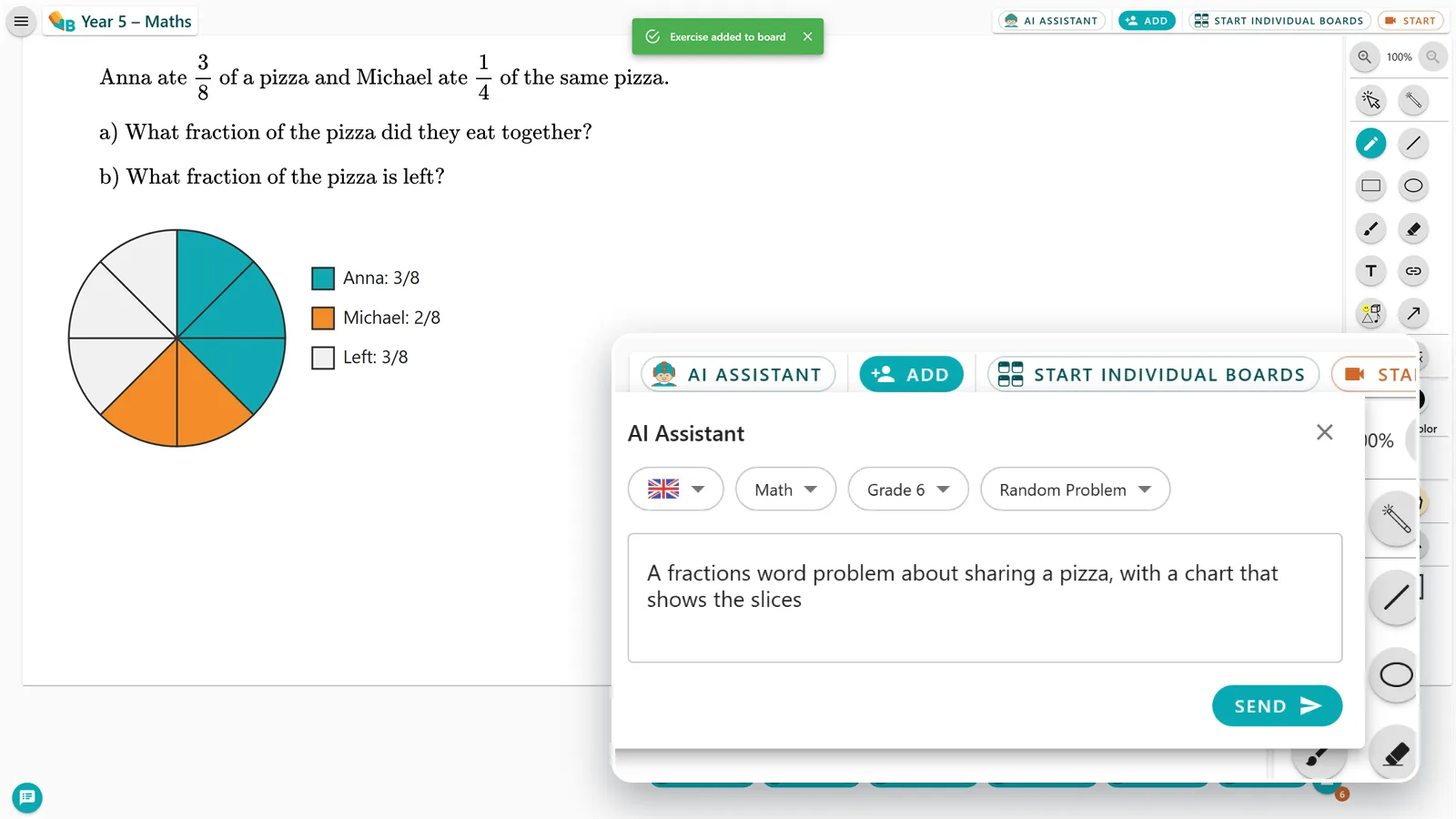
The AI Assistant panel: language, subject, grade and the teacher's request
AI Assistant

Exercises and explanations generated for your class.

An AI-powered tool that helps you create teaching content by subject and by the level of your class.

  • Practice exercises, with or without solutions
  • Clear explanations of maths and science concepts
  • Content tailored to your class's level and topic
See the tutorial
12Anywhere
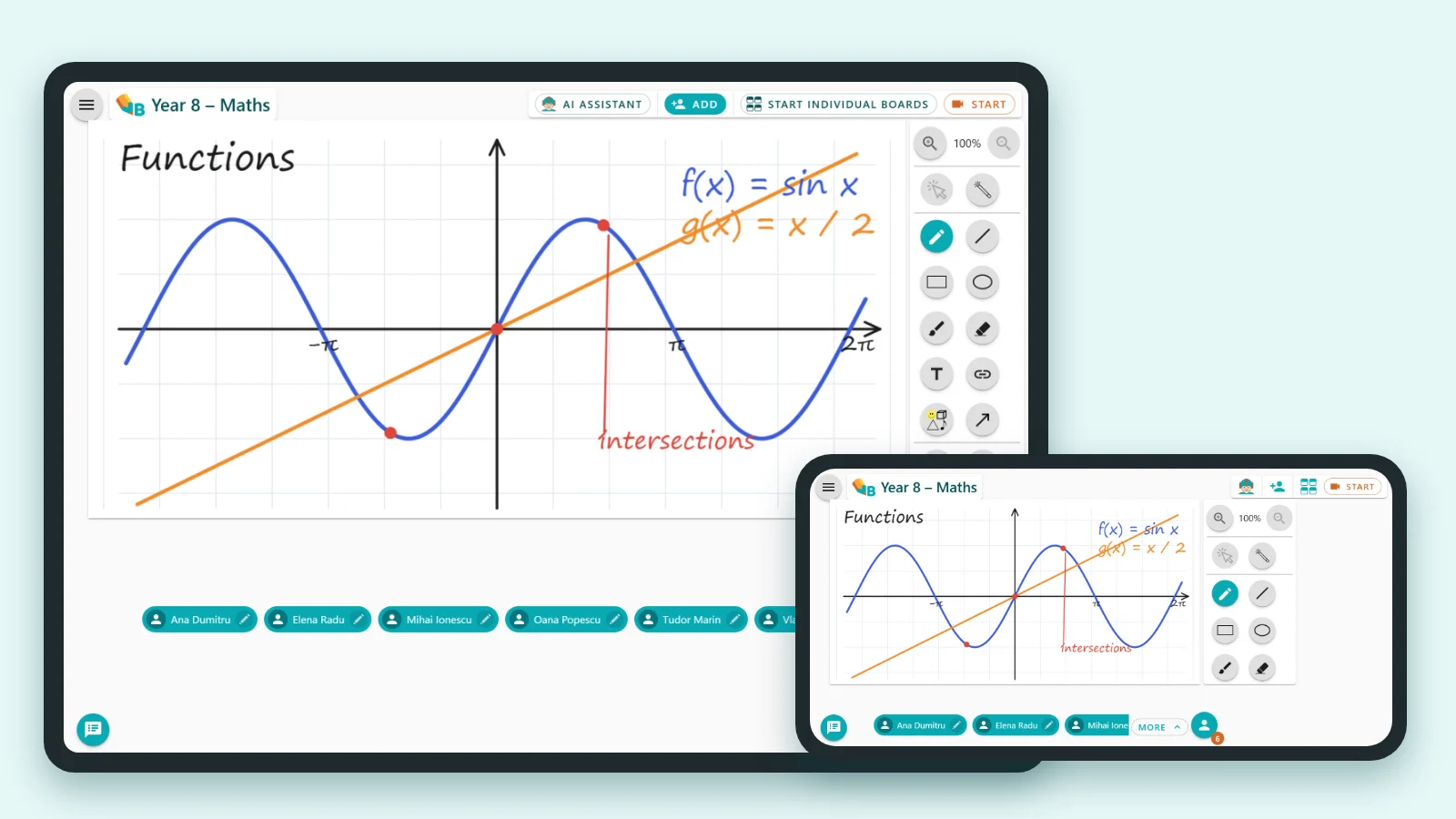
On any device

Phone, tablet or PC: the same board.

VBoard opens on any device, sits on your home screen like an app, and takes a stylus.

  • Add VBoard to your home screen like an app
  • Zoom into the board to work more comfortably
  • Write with a stylus on mobile devices
See the tutorial
VBoard in use on a phone and a tablet
VBoard plans

You start on the Free plan.

The Free plan stays free, no card needed. You only pick a paid plan if VBoard becomes part of your teaching routine.

Free

Teach with VBoard at no cost and with no card, for as long as you need.

0€
Free, with no time limit

You can move to a paid plan at any time.

  • Individual Boards
  • Available groups: 3
  • Available boards in library: 5
  • Available activities with saved individual boards : 3
  • Multiple boards in individual board activity
  • PDF download
  • AI tools
  • Audio Video call
Start a lesson
For regular use

Basic

For teachers who save, reuse and share their lessons.

47.88€/ year
a single payment per year · + VAT

That is €3.99 per month.

You save 2 months a year
  • Individual Boards
  • Available groups: 10
  • Available boards in library: 50
  • Available activities with saved individual boards : 10
  • Multiple boards in individual board activity
  • PDF download
  • AI tools
  • Audio Video call
Choose this plan

Premium

For online tutoring, with every VBoard tool in one place.

107.88€/ year
a single payment per year · + VAT

That is €8.99 per month.

You save 2 months a year
  • Individual Boards
  • Available groups: Unlimited
  • Available boards in library: Unlimited
  • Available activities with saved individual boards : 50
  • Multiple boards in individual board activity
  • PDF download
  • AI tools
  • Audio Video call
Choose this plan

Schools and centres

For schools, tutoring centres and teams of teachers.

Customquote
Based on the number of licences

Start with a small pilot and expand once you see real use.

Pilot available
  • Multiple licences for teachers or tutors
  • Onboarding and support for the team
  • Institutional contract and invoicing
Request a quote

The Free plan does not expire. Move to a paid plan only when you need more.
Try every feature in a real lesson.

Open something you are teaching this week and see how quickly it's ready for class.

Start for free
  • Runs in your browser
  • Free plan, no card required